Best Chicken Coop Cameras 2026: Solar, Wired & Budget Picks
Five coop cameras for 2026: solar Reolink, wired Wyze, battery Blink, Ring, and the Coop Smart kit, with night vision and no-subscription local storage.
Researched from university extension, USDA, and veterinary sources. How we research.
A chicken coop camera lets you check on your flock from your phone, catch predators in the act, and watch your hens lay eggs without walking outside in your pajamas. The best option for most chicken keepers is the Wyze Cam v3 because it's only about $30, shoots 1080p with color night vision, and it's weatherproof. But your ideal camera depends on your power situation, WiFi range, and budget.
Our top pick: Wyze Cam v3. Best overall value. 1080p, color night vision, weatherproof, two-way audio. Around $30.
Quick Answer: Best Coop Camera by Situation
| If you have... | Get this | Price |
|---|---|---|
| Power near the coop | Wyze Cam v3 | ~$30 |
| No power at the coop | Reolink Argus Solar 3K | ~$85 |
| No power, hate charging | Blink Outdoor 4 | ~$80-100 |
| Existing Ring/Alexa setup | Ring Outdoor Cam | ~$100 |
| A full coop upgrade | Coop Smart All-in-One Kit | ~$349 |
What You'll Learn
- •How We Picked
- •What to Look for in a Chicken Coop Camera
- •Best Chicken Coop Cameras Compared
- •1. Wyze Cam v3, Best Overall
- •2. Reolink Argus Solar 3K, Best Solar Powered
- •3. Blink Outdoor 4, Best Battery Life
- •4. Ring Outdoor Cam 2K, Best Smart Home Integration
- •5. Coop Smart All-in-One Kit, Best Purpose-Built Option
- •Power Options: Wired vs Battery vs Solar
- •WiFi Range and Connectivity Tips
- •Where to Mount Your Coop Camera
- •What a Coop Camera Setup Really Costs
- •Common Coop Camera Mistakes
- •Frequently Asked Questions
How We Picked
We're chicken keepers, not a faceless review site. To put this list together we leaned on three things: what actually holds up in a coop environment, what the backyard chicken community recommends most often (r/BackYardChickens and BackYardChickens.com forums are full of real long-term reports), and the specs that matter for poultry use specifically.
A coop is a harsh place for electronics. It's dusty from bedding and dander, humid, cold in winter, and hot in summer. A camera that works great on a porch can fog up or quit in a coop. So we weighted weather resistance, night vision quality (most predator visits happen after dark), and power flexibility heavily, since the single biggest factor for most keepers is whether they have electricity at the coop. We also checked that every product link below is currently in stock and points to the exact model described, because nothing is more frustrating than a "best of" list pointing at a dead listing.
We do not run paid placements, and we don't accept free units in exchange for a ranking. These are the cameras we'd put on our own coops.
What to Look for in a Chicken Coop Camera
Not every security camera works well in a chicken coop. Here's what matters:
Night vision is non-negotiable. Most predator attacks happen at night, and you'll want to peek inside the coop after dark to make sure everyone's roosting safely. Color night vision is a nice bonus, but standard infrared night vision works fine.
Weather resistance matters for any camera mounted outside or in an uninsulated coop. Look for an IP65 or IP67 rating. Coops get dusty, humid, and cold, so the camera needs to handle all of that.
Power source is usually the deciding factor. If you've got electricity at the coop, wired cameras are simpler and more reliable. If not, you'll need battery or solar power.
WiFi range can be tricky. Many coops sit 50 to 200 feet from the house, which is at the edge of most routers' range. You might need a WiFi extender.
Motion alerts let you know when something's happening without constantly watching the feed. The best cameras send a push notification to your phone when they detect movement.
Two-way audio is surprisingly useful. You can yell at a raccoon through your phone at 2 AM without leaving bed. Some chicken keepers also use it to call their birds.
Storage options matter too. Cloud storage usually requires a subscription. Local storage via microSD card is cheaper long-term.
Best Chicken Coop Cameras Compared
| Camera | Price Range | Power | Night Vision | Storage | Best For |
|---|---|---|---|---|---|
| Wyze Cam v3 | $30-40 | Wired (USB) | Color | microSD + cloud | Best overall value |
| Reolink Argus Solar 3K | $85 | Solar/battery | Color | microSD + hub | No-power coops |
| Blink Outdoor 4 | $80-100 | 2x AA batteries | Infrared | Cloud (sub) | Long battery life |
| Ring Outdoor Cam | $100 | Battery/solar/wired | Color | Cloud (sub) | Smart home users |
| Coop Smart Kit | ~$349 | Battery + solar | Color | App | All-in-one upgrade |
1. Wyze Cam v3: Best Overall
Price: ~$30-40
The Wyze Cam v3 is the camera that the backyard chicken community recommends more than any other, and for good reason. At around $30, it's hard to beat for what you get.
What's great:
- •Color night vision (Starlight sensor) that's surprisingly good in low light
- •1080p HD video with a wide 130 degree field of view
- •IP65 weatherproof rating
- •Two-way audio with 80dB siren
- •Free local storage via microSD card (no subscription needed)
- •Motion detection zones you can customize
- •Works with Alexa and Google Assistant
What's not:
- •Requires a wired USB power connection (6-foot cable included, but you'll probably need an extension)
- •WiFi range can be an issue for distant coops
- •Optional Cam Plus subscription (about $2/month) needed for person detection and extended cloud clips
Best for: Anyone with power at or near the coop who wants maximum value. It's the easiest recommendation if you can run a USB cable.
2. Reolink Argus Solar 3K: Best Solar Powered
Reolink Argus Solar 3K on Amazon
Price: ~$85 (solar panel included)
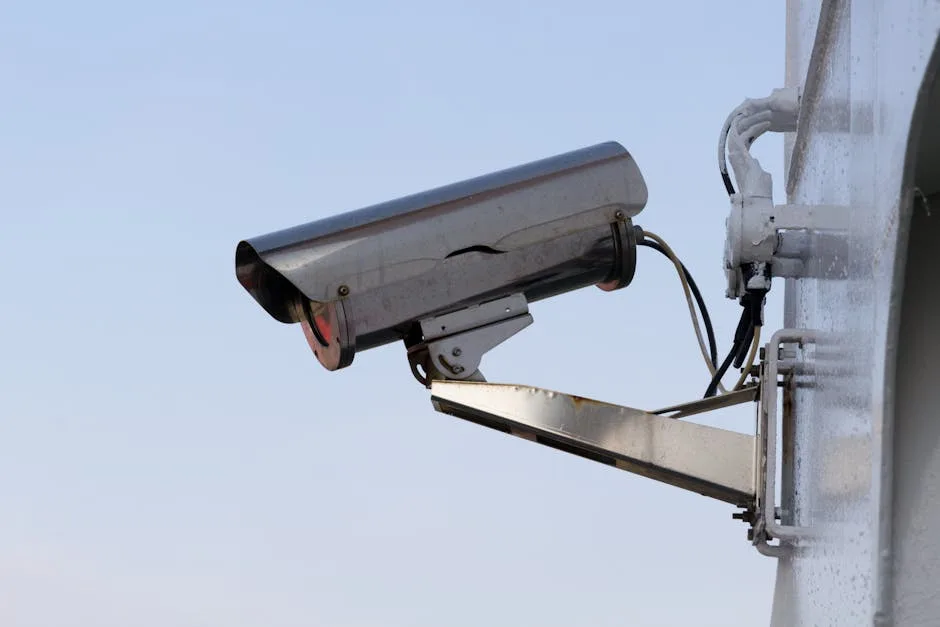
If your coop has no electricity, a Reolink solar camera is the best wireless option, and the current Argus Solar model is a better camera than the Argus 3 Pro it replaced at a lower price. The included solar panel keeps the battery topped up, and Reolink says the newer panel keeps charging under eaves and trees, which is exactly where coop cameras end up.
What's great:
- •3K (5MP) resolution, sharper than anything else on this list
- •Solar panel included, no cable to the coop
- •Color night vision with a white light, or infrared if you prefer not to light up the coop
- •Dual-band 2.4GHz and 5GHz WiFi 6
- •No subscription: recordings go to a microSD card (up to 512GB, sold separately) or a Reolink Home Hub
- •Person, vehicle, and animal detection, with a siren and light you can trigger from the app
- •IP67 weatherproof
What's not:
- •The solar panel needs a few hours of direct sun a day; deep shade means periodic charging
- •Motion-activated recording only, to save battery
- •WiFi signal at the coop still matters
- •Animal detection flags raccoons and your own hens alike; expect to tune the alerts
If you want a spotlight instead of a white light, Reolink's 5MP color night vision solar camera is the same price with a similar feature set on the older 2K 5MP sensor.
Best for: Coops without electricity. The solar panel is the difference-maker for a coop at the back of the property.
3. Blink Outdoor 4: Best Battery Life
Price: ~$80-100
The Blink Outdoor 4 runs on two standard AA lithium batteries and can last up to two years before needing replacements. If you don't want to deal with charging batteries or running cables, this simplicity is hard to beat.
What's great:
- •Up to 2 years on two AA batteries
- •1080p HD with infrared night vision
- •Lightweight and easy to mount
- •Built-in siren
- •Works with Alexa
What's not:
- •No color night vision (infrared only, so everything looks black and white at night)
- •Requires a Blink subscription (about $3/month or $30/year) for cloud storage and clip history
- •No local storage option without the Blink Sync Module 2 (about $35 extra) and a USB drive
- •Motion-activated only; no 24/7 recording
- •2.4GHz WiFi only
Best for: Keepers who want a set-it-and-forget-it camera with minimal maintenance. Great if you don't need color night vision and want the longest possible battery life.
4. Ring Outdoor Cam 2K: Best Smart Home Integration
Price: ~$100 (battery model)
If you already use a Ring doorbell or Ring cameras, adding the Outdoor Cam 2K (the camera Ring used to call the Stick Up Cam) to the coop makes sense. Everything lives in one app, and the coop shows up next to the front door on the same dashboard. This is the battery version; Ring sells a solar panel and a plug-in adapter separately if you would rather not recharge it.
What's great:
- •2K video with up to 6x zoom, a real step up from the old 1080p model
- •Color night vision in low light, switching to black and white in full dark
- •Built-in siren you can set off from the app
- •Two-way talk and live view
- •Custom motion zones and mobile alerts
- •Weather-resistant and simple to mount
- •Works with Alexa and the rest of the Ring ecosystem
What's not:
- •Video history, smart alerts, and sharing need a Ring Protect subscription (from about $5 a month)
- •The battery needs recharging every one to three months depending on activity, unless you add the solar panel
- •2.4GHz WiFi is the safer choice at range
Best for: Ring households that want the coop in the same app as everything else. With the optional solar panel it is a solid wireless choice too.
5. Coop Smart All-in-One Kit: Best Purpose-Built Option
Coop Smart All-in-One Kit on Amazon
Price: ~$349
This is the closest thing to a chicken-specific monitoring system on the market. It's no longer sold as a standalone camera; the current listing is an all-in-one kit that bundles an automatic coop door with two AI CoopCams sized for a 4 to 6 bird flock, with an optional solar add-on. The cameras use AI trained on poultry behavior to flag predators and unusual flock activity.
What's great:
- •AI trained for chicken and predator detection
- •Two cameras plus an automatic door in one system
- •Battery with optional solar
- •Night vision
- •Designed from the ground up for coop use
What's not:
- •Much pricier than a standalone camera, because it's really a coop-automation bundle
- •Overkill if you only want a camera and already have a door
- •Newer product with a smaller user community than Wyze or Ring
Best for: Keepers planning a full coop upgrade who want an automatic door and cameras from one system. If you just want eyes on the coop, the Wyze or Reolink will save you a lot of money.
Power Options: Wired vs Battery vs Solar
Your power situation usually narrows your choices immediately:
Wired (USB or PoE)
- •Most reliable. Never runs out of power.
- •24/7 recording possible since power is constant.
- •Cheapest cameras (Wyze Cam v3 is about $30).
- •Challenge: You need to run a cable to the coop. An outdoor-rated USB extension cord works for short distances.
Battery
- •No wires needed. Mount anywhere with WiFi signal.
- •Motion-activated only to conserve battery.
- •You'll need to recharge or replace batteries every 1 to 6 months depending on activity level.
- •Good for: Coops within WiFi range but without power.
Solar
- •Set-and-forget once installed.
- •Panel needs sun exposure (at least 3 to 4 hours of direct sunlight daily).
- •Higher upfront cost but zero ongoing power cost.
- •Good for: Remote coops with no power. Just make sure the panel isn't shaded by the coop roof or trees.
If you're building a new coop, running an electrical line to it during construction is worth the effort. It opens up your camera options and lets you add a heated waterer and supplemental lighting down the road.
WiFi Range and Connectivity Tips
WiFi range is the most common problem chicken keepers run into with coop cameras. Here's how to solve it:
Check your signal first. Walk to your coop with your phone and check the WiFi bars. If you get at least 2 bars, most cameras will work. If the signal is weak or non-existent, you have options:
- •WiFi extender ($20-40). Place a weatherproof WiFi extender between your house and coop. This is the most common solution.
- •Mesh WiFi system. If you need whole-property coverage, a mesh system with outdoor nodes works well.
- •Cellular camera. Some Reolink models support 4G LTE with a SIM card, so they don't need WiFi at all. Monthly data costs around $10.
Most cameras operate on 2.4GHz WiFi, which has better range than 5GHz. If your router broadcasts both, make sure you're connecting the camera to the 2.4GHz network.

Where to Mount Your Coop Camera
Placement matters almost as much as the camera itself:
Inside the coop:
- •Mount high in a corner pointing down to get the widest view
- •Aim to see roost bars and nest boxes
- •Great for watching laying behavior and nighttime roosting
- •Protect the camera from dust (chickens generate a lot of it)
- •Clean the lens monthly
Outside the coop/run:
- •Mount facing the run entrance or coop door
- •This is where you'll catch predators approaching
- •Weather resistance is critical here
- •Point it away from the rising and setting sun to avoid glare
Multiple cameras is the ideal setup: one inside, one outside. But if you're only buying one, an outdoor camera covering the coop entrance and run area is usually more valuable for security. You'll catch predators and see your birds during the day.
What a Coop Camera Setup Really Costs
The camera price is only part of the picture. Here's a realistic budget for a working setup, so there are no surprises:
| Item | Budget setup | Better setup |
|---|---|---|
| Camera | Wyze Cam v3 (~$30) | Reolink Argus Solar 3K (~$85) |
| Power/cable | Outdoor USB extension (~$12) | Included solar panel ($0 extra) |
| Storage | 32GB microSD (~$8) | 64-128GB microSD (~$15) |
| WiFi fix (if needed) | Outdoor WiFi extender (~$30) | Mesh node (~$60) |
| Realistic total | ~$50-80 | ~$125-185 |
For most people the all-in number lands between $50 and $185 depending on whether you have power and WiFi at the coop already. The ongoing cost is either zero (Wyze and Reolink with local microSD storage) or a few dollars a month if you choose a cloud subscription with Blink or Ring. Over a year, local storage saves you $25 to $50 versus a cloud plan, which is why we lean toward the Wyze and Reolink for budget-minded keepers.
Common Coop Camera Mistakes
Buying a battery camera for a high-traffic spot. Pointing a battery camera at a busy run means constant motion triggers, and the battery you expected to last months drains in weeks. Use wired or solar for busy areas; save battery cameras for low-traffic angles.
Forgetting about WiFi before buying. The camera is useless if it can't reach your network. Check signal at the coop first, and budget for an extender if you only get a bar or two.
Mounting where the sun blinds it. A camera aimed east or west gets washed out at sunrise and sunset, exactly when predators move. Point it north or south, or shade the lens.
Skipping local storage. Cloud subscriptions add up. If you want to avoid a monthly bill, choose a camera with a microSD slot (Wyze, Reolink) and drop in a card.
Letting dust build up on the lens. Coops are dusty, and a filmed-over lens turns your night vision to mush. Wipe the lens once a month and your footage stays usable.
Frequently Asked Questions
Do I need a subscription for a chicken coop camera?
It depends on the camera. The Wyze Cam v3 and Reolink Argus Solar 3K both offer free local storage via microSD card with no subscription required. Blink and Ring require subscriptions (about $3 to $4/month) for cloud video history. If you want to avoid ongoing costs, go with Wyze or Reolink.
What is the best chicken coop camera overall?
For most keepers, the Wyze Cam v3 is the best pick. It's around $30, shoots 1080p with genuinely good color night vision, is weatherproof at IP65, and stores footage free on a microSD card. The only catch is that it needs a USB power cable, so it suits coops with power nearby. If your coop has no electricity, the solar-powered Reolink Argus 3 Pro is the better choice.
Can I use a baby monitor instead of a security camera?
You can, and some chicken keepers do. Basic WiFi baby monitors work for checking in on your flock. But they lack weatherproofing, motion alerts, and night vision quality compared to purpose-built outdoor cameras. For a few dollars more, a Wyze Cam v3 does everything a baby monitor does plus much more.
How far can a chicken coop camera reach from WiFi?
Most cameras work reliably up to about 100 to 150 feet from the router in open air. Walls, trees, and metal structures reduce range significantly. If your coop is further out, a WiFi extender ($20-40) solves the problem. Place it halfway between your router and the coop for the best results.
Will a camera scare my chickens?
No. Chickens might be curious about it for the first day or two, especially if it has a visible LED light, but they'll quickly ignore it. Avoid cameras with bright spotlights that activate at night, since that could disrupt roosting. Infrared night vision LEDs (the dim red glow) don't bother chickens.
What's the best camera for catching predators at night?
For nighttime predator detection, the Reolink Argus Solar 3K is excellent because it has color night vision with a white light, so you'll actually see what the predator is (raccoon, fox, and so on) rather than just a blurry grey shape. The Wyze Cam v3 also has impressive color night vision for its price. Pair either with phone notifications turned on so you're alerted the moment something triggers the motion sensor.
Do coop cameras work in winter?
Yes, but check the rated operating temperature before you buy. Most cameras here handle freezing temperatures fine, though battery life drops sharply in the cold, so battery models like the Blink need more frequent charging in winter. Wired and solar cameras are more dependable when it's below freezing. A camera pairs well with a winter care setup so you can monitor birds during cold snaps without going outside.
How much data does a coop camera use?
A WiFi camera streaming and recording can use anywhere from 1GB to 5GB per day if it records continuously at 1080p, less if it only records on motion. This matters mostly for cellular cameras with a data plan. For home WiFi it's rarely a concern, but if you're on a metered connection, set the camera to motion-only recording.
Can I watch more than one coop camera at once?
Yes. Every camera here uses an app that supports multiple cameras on one account, so you can view the coop interior and the run on a split screen from your phone. Sticking with one brand keeps everything in a single app, which is the main reason Ring users like adding a Ring camera to the coop.
Is a wired or wireless coop camera better?
Wired is more reliable and cheaper, and it allows 24/7 recording, but you have to run a cable. Wireless (battery or solar) is easier to place and needs no cable, but battery models record only on motion and need recharging. If you have power at the coop, go wired. If not, go solar.
What resolution do I need for a coop camera?
1080p is plenty for a coop. It's sharp enough to identify a predator, read your birds' behavior, and see into nest boxes. Higher resolution like the Reolink's 5MP gives you more detail to zoom into, but it uses more storage and bandwidth. Don't pay a premium for 4K on a coop camera; you won't need it.
A coop camera is one of those purchases that seems optional until it saves your flock. Whether you go budget with a Wyze or fully wireless with a Reolink, you'll wonder how you ever kept chickens without one.
For more coop gear, check out our guides on the best feeders and waterers, automatic coop doors, and protecting your flock from predators.
Sources:
- •University of Kentucky Cooperative Extension. Small Flock Poultry housing. https://poultry.extension.org/
- •University of Missouri Extension. Small flock housing recommendations. https://extension.missouri.edu/publications/g8351
- •Penn State Extension. Poultry housing and equipment. https://extension.psu.edu/animals/poultry
Product prices and availability are accurate as of the date shown and are subject to change. Any price and availability information displayed on Amazon at the time of purchase will apply to the purchase of this product.
Related Guides
Best Chicken Coop Bedding and Litter (2026 Reviews)
The best chicken coop bedding for 2026. Pine shavings, hemp, aspen, and odor-control litter compared, with pros, cons, and pricing for every flock and budget.
Gear ReviewsBest Chicken Nesting Boxes 2026: Top Picks
The best chicken nesting boxes for 2026: plastic, metal roll-out, and multi-hole boxes compared for clean eggs, easy cleanup, and happy hens.
Gear ReviewsBest Automatic Chicken Coop Doors 2026: 7 Worth Buying
Automatic coop doors that close before predators come out. The 7 best in 2026 across price tiers, including the safety flaw each one has.
Gear ReviewsHow Big Should My Chicken Coop Be? (Sizing Guide)
A practical chicken coop sizing guide based on flock size, climate, and breed. Includes a sizing table, rules of thumb, and common mistakes to avoid.